The “Content Not Available” error on Instagram’s Threads app can be very frustrating for users. When this error appears, it prevents you from accessing the content and features within the Threads app.
It’s important to address this concern punctually so that you can restart plane usage of the app. The good news is that there are numerous troubleshooting steps you can take to resolve the “Content Not Available” error.
Check Your Internet Connectivity
A stable internet connection is essential for the Threads app to work smoothly.
The "Content Not Available" error is frequently caused by weak connectivity. To troubleshoot, try switching between Wi-Fi and mobile data.
Another option is toggling Airplane Mode on and off, which resets network settings and can resolve temporary connectivity issues.
Some users have found success by powering off and restarting their devices to refresh the internet configuration.
Update Your Device
Because Threads is a relatively recent app, having the latest software on your device is essential for its proper functioning.
If your device is not up-to-date, compatibility problems might lead to the "Content Not Available" error.
For iOS and Android devices, go to Settings > General > Software Update to ensure you have the latest updates. Download and install any available updates, and then attempt to open Threads once more.
[embedpost slug="threads-now-allows-you-to-delete-your-account-without-affecting-your-instagram-account/"]
Clear Threads App Cache and Data
Over time, cached data and files can accumulate and cause performance issues that disrupt app functionality. Clearing the cache and data for Threads can resolve network problems and other glitches.
On iOS devices, tap and hold the Threads icon, select App Info, then choose Clear Cache and Clear Data. Go to Settings > Apps > Threads > Storage > Clear Cache and Clear Data for Android devices.
Uninstall and Reinstall The Threads App
If none of the previous solutions work, completely removing Threads from your device and then downloading the latest version can resolve any corrupted files or technical glitches.
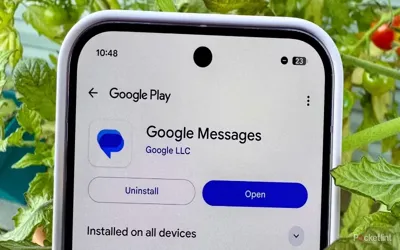
On iOS, remove Threads from your home screen, go to the App Store, search for "Threads," and tap Get to reinstall it. For Android devices, uninstall Threads through the Apps menu in Settings, and then reinstall it from the Google Play Store.
Conclusion
By following the provided troubleshooting steps, you can effectively tackle the annoying "Content Not Available" error in Instagram's Threads app. Actions such as verifying your connectivity, updating your device's software, clearing app cache/data, and reinstalling the app are all potential solutions worth attempting.
Dealing with this problem promptly ensures you regain complete access to Threads, allowing you to fully enjoy its features for sharing ideas and participating in conversations. With the right fixes, the app should be functioning smoothly again in no time!