Wednesday, September 23, 2026
Watch Live
UPDATED
FUEL PRICE
21-SEP-2026
PETROL
-1.70 PKR
Rs. 392.05/ltr
DIESEL
-3.12 PKR
Rs. 418.96/ltr
Headlines
Pakistan develops 'Gender Tracker' to tackle online harassment of women Bahawalpur teen plays 'Breaking Bad', arrested for poisoning father with AI help South Sudan’s President Salva Kiir dissolves government before historic vote Trump’s Board of Peace recovery blueprint sets $2.45B six-month plan to rebuild Gaza Rock world in shock as Rose Tattoo frontman 'Angry Anderson' dies at 79 Massive unexploded 'WW2' bomb found near Falmouth Docks Punjab boards announce Intermediate Part-II results 2026 PM appoints Hamza Farrukh as Pakistan Climate Change Authority chair Pakistan Navy, Coast Guards foil smuggling bid in Pishukan Saudi Arabia marks 96th National Day, highlights close Pakistan-Saudi partnership Pindiz owner warns of PSL exit over Rizwan Trump meets Venezuela’s Delcy Rodriguez on UNGA sidelines Shehbaz meets Bill Gates, reaffirms push to eradicate polio ADB forecasts Pakistan growth at 3.7% for FY2027, warns of middle east risks Prime Minister Shehbaz and DPM Dar ramp up diplomacy at UN General Assembly US F-16 crashes near German air base after training exercise Pakistan foils Afghan infiltration, responds to border fire Field Marshal Asim Munir discusses defence ties with France Nazanin Mandi engaged to Michael Gilroy after fairytale proposal Kevin Jonas melts hearts at Danielle’s 40th birthday celebration Y chromosome loss in men may create hidden pathway for cancer, study finds Snapchat turns chat messages into songs with new AI tools for Lens+ users Pakistan develops 'Gender Tracker' to tackle online harassment of women Bahawalpur teen plays 'Breaking Bad', arrested for poisoning father with AI help South Sudan’s President Salva Kiir dissolves government before historic vote Trump’s Board of Peace recovery blueprint sets $2.45B six-month plan to rebuild Gaza Rock world in shock as Rose Tattoo frontman 'Angry Anderson' dies at 79 Massive unexploded 'WW2' bomb found near Falmouth Docks Punjab boards announce Intermediate Part-II results 2026 PM appoints Hamza Farrukh as Pakistan Climate Change Authority chair Pakistan Navy, Coast Guards foil smuggling bid in Pishukan Saudi Arabia marks 96th National Day, highlights close Pakistan-Saudi partnership Pindiz owner warns of PSL exit over Rizwan Trump meets Venezuela’s Delcy Rodriguez on UNGA sidelines Shehbaz meets Bill Gates, reaffirms push to eradicate polio ADB forecasts Pakistan growth at 3.7% for FY2027, warns of middle east risks Prime Minister Shehbaz and DPM Dar ramp up diplomacy at UN General Assembly US F-16 crashes near German air base after training exercise Pakistan foils Afghan infiltration, responds to border fire Field Marshal Asim Munir discusses defence ties with France Nazanin Mandi engaged to Michael Gilroy after fairytale proposal Kevin Jonas melts hearts at Danielle’s 40th birthday celebration Y chromosome loss in men may create hidden pathway for cancer, study finds Snapchat turns chat messages into songs with new AI tools for Lens+ users

How to fix the 'Emergency Calls Only' error on Android

How to fix the 'Emergency Calls Only' error on Android

Web Desk February 12, 2024 Add Bol News as a trusted source

Experiencing the "Emergency Calls Only" error can be highly frustrating, as it disrupts communication and renders regular smartphone functions inaccessible.

It renders your advanced smartphone virtually useless for anything beyond basic emergency calls. This can raise safety concerns, particularly if you find yourself stranded or lost without access to navigation, ridesharing, or communication with friends and family.

Quick Fixes for the “Emergency Calls Only” Error

Restart your device.

At times, merely powering off and then on your phone can resolve connectivity issues and eliminate the "Emergency Calls Only" error. Here's a simple guide to follow:

  1. Hold down the power button for a few seconds.
  2. Tap “Power off” and wait at least 10 seconds.
  3. Press and hold the power button again to turn your phone back on.
Let the phone reboot fully and reconnect to the network. This refresh can often resolve temporary glitches that triggered the error message.

Allow data roaming.

Enabling data roaming can resolve issues connecting to local towers, especially when traveling to a new location. This allows your phone to connect to alternate carriers for better network coverage.

  1. Go to “Settings” and select “Network and Internet.”
  2. Tap “Mobile Network” and select your SIM.
  3. Turn on “Roaming” to enable connectivity outside your main network.
Be mindful that you might incur roaming charges if they're not part of your cellular plan.

Ensure the SIM card is enabled.

  1. Go to "Settings,” then “Network and Internet.”
  2. Select “SIM Cards” and tap your SIM.
  3. Make sure the SIM status says “Active” and not "Disabled.”
  4. If disabled, tap it to enable it and reconnect to the network.
Reinserting your SIM card or cleaning its contacts may also resolve the issue. Remember to disable airplane mode after reinsertion and try reconnecting to the network.

Manual network selection

In some cases, allowing your phone to automatically select networks may fail and result in connectivity issues. Manually selecting your carrier can be a workaround solution.

  1. Go to “Network operators” in your phone’s settings.
  2. Turn off “Automatically select the network.”
  3. Tap “Choose network” to manually pick your carrier.
Wait a few moments after selecting your network, and you should regain connectivity.

Reset all network settings.

Resetting all network settings unregisters the device from current connections, forcing it to reconnect when powered back on.

  1. Go to “Settings” and select "System.”
  2. Choose “Reset options,” then “Reset Wi-Fi, mobile, and Bluetooth.”
  3. Tap “Reset settings” and confirm when prompted.
After resetting your network settings, power your device off completely, then back on to reconnect from scratch.

Install the pending system and carrier updates.

Sometimes, outdated software can cause connection issues. Be sure to install any available updates.

  1. Go to “Settings” and select “System updates.”
  2. Install any pending Android system updates.
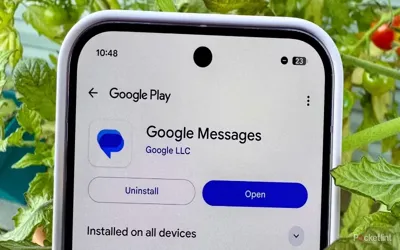
  3. Check your Messages app for SIM carrier updates.
  4. Tap to install updates from your service provider.
Ensuring your device's software is up-to-date can prevent bugs that may interfere with network connectivity.

Conclusion

Don't allow the "Emergency Calls Only" error to disconnect you from communication and convenience. Follow the suggested fixes above until your cellular, text, and data capabilities are restored.

Familiarizing yourself with these troubleshooting steps will empower you to resolve similar issues in the future. With the appropriate solution, you'll be reconnected and able to enjoy all the features your Android phone has to offer.

Recommended