Tuesday, November 3, 2026
Watch Live
UPDATED
FUEL PRICE
03-NOV-2026
PETROL
▼ -3.40 PKR
Rs. 374.51/ltr
DIESEL
▼ -7.76 PKR
Rs. 395.20/ltr
Headlines
US midterms put Trump’s political standing to the test Federal govt announces reduction in petroleum prices Cyberattack affects dozens of supermarkets across Europe Simple egg white face mask for your skincare routine 'Meer-e-Karwan Tum Ho' conference highlights climate challenges Major tech companies resist Trump's latest tariff push against Vietnam Netflix crime thriller 'Collision Course' tops global charts after release Field Marshal Asim Munir, Liu Haixing discuss bilateral ties at GHQ Sindh bans CNG, LPG cylinders in school vans Bird flu outbreak spreads across US poultry farms, infects 1.32m birds Pakistan fined 5% of match fees for slow over-rate in tri-nation final Pakistan to deregulate LPG pricing, add targeted subsidies Pakistan explores tokenizing Eurobond debt, Finance Minister says Karachi to get first mechanical garbage transfer system Pakistan bound LNG carrier attacked near Strait of Hormuz despite Iranian clearance US consortium proposes $4.4 billion LNG project in Pakistan US midterms put Trump’s political standing to the test Federal govt announces reduction in petroleum prices Cyberattack affects dozens of supermarkets across Europe Simple egg white face mask for your skincare routine 'Meer-e-Karwan Tum Ho' conference highlights climate challenges Major tech companies resist Trump's latest tariff push against Vietnam Netflix crime thriller 'Collision Course' tops global charts after release Field Marshal Asim Munir, Liu Haixing discuss bilateral ties at GHQ Sindh bans CNG, LPG cylinders in school vans Bird flu outbreak spreads across US poultry farms, infects 1.32m birds Pakistan fined 5% of match fees for slow over-rate in tri-nation final Pakistan to deregulate LPG pricing, add targeted subsidies Pakistan explores tokenizing Eurobond debt, Finance Minister says Karachi to get first mechanical garbage transfer system Pakistan bound LNG carrier attacked near Strait of Hormuz despite Iranian clearance US consortium proposes $4.4 billion LNG project in Pakistan

Here's How to Change Your iPhone and Mac's App Store Country or Region

Here's How to Change Your iPhone and Mac's App Store Country or Region

Having the ability to alter your App Store country or region can unlock a plethora of new applications and content. Numerous apps and games are exclusive to specific countries or regions, and by adjusting your App Store country, you can access applications and games that would otherwise be unavailable.

For instance, consider a recently launched exciting game in Japan. If your App Store is configured for the United States, you won't be able to download this game. However, changing your App Store country to Japan would instantly grant you access to download and enjoy the game.

Change App Store Country or Region on Your iPhone and Mac

Change App Store Country on Mac

  • Open the System Settings app.
  • Click on your user account name and profile picture.
  • Click on the “Media and Purchases” option.
  • Click the blue “Manage” button next to your name.
  • A popup will appear. Near the bottom, click the link that says “Change Country or Region.”
  • Use the drop-down menu to browse countries and select the one you want to switch the App Store to.
  • Read through the terms and conditions applicable to the country you selected. Once you’ve read and agreed to them, click the blue “Agree” button.
  • Enter valid payment details and a billing address from the country you have chosen. Once you’ve filled in the details, click the Continue button at the bottom right to finish switching countries.

Change App Store Country on iPhone

  • Open the App Store app on your iPhone.
  • Tap on your Apple ID profile picture.
  • At the very top, tap on your full name.
  • Tap on the “Country/Region” option to change your App Store country.
  • Tap the “Change Country or Region” button.
  • Browse the list and tap on the country you want to switch the App Store to.
  • Read and agree to the terms for accessing the new regional App Store.
  • Enter valid payment details and billing address information for that country.
  • Tap “Next” to complete the country change process.
Switching your App Store country or region is a straightforward process on both iPhone and Mac. The procedure involves accessing your account settings, choosing a new country, consenting to the terms, inputting valid payment information for that country, and completing the change.

[embedpost slug="/using-slack-heres-5-privacy-settings-you-must-check-out/"]
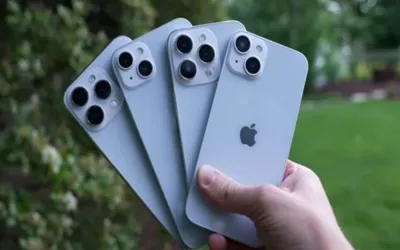
It's crucial to keep in mind that the App Store's availability and pricing differ across countries. Consequently, certain apps or content might become inaccessible once you switch. It's advisable to utilize any remaining store credit and terminate subscriptions before changing countries.

Recommended